Overall Evaluation
For this project we
were given the brief to photograph and create a video which represents the
everyday life of an object. Through experimenting with different angles and
perspective I was able to see how best to capture the object with in my images,
so that it was either the focal point of the image itself, or obscured within a
crowd. At the beginning that this project I found it very difficult to come up
with ideas on how it best represents the
life of an everyday object, But now that I have had time to think about this
concept as a whole I've come to realise that I was over-thinking and stressing
about my ideas. Objects are vital to our everyday lives without us even been
aware of it. From something as simple as a sweater to our mobile phones, there
are objects we tend to take for granted because they are always there. The
importance of objects themselves is not just to enhance our quality of life and
to make things simple as we continue our tasks throughout the day. They also
help to define who we are as a person. Colours shapes and sizes of various
objects we bring into our life helps represent our personality and sense of
style. We may not be entirely self-aware
of what we do, as it comes so naturally to us. In helping to expressing who we
are as people, through the objects we surround ourselves with. Like I said in
the beginning of this project I didn't fully understand the concept and therefore
found it difficult to choose a subject matter, in which I felt comfortable pursuing.
But now at the end I find it is incredibly simple and I could have simply
chosen the most used object of our time the mobile phone. I find it frustrating
that my mind was so clouded at the time, but I'm also happy that I chose my
object. As I didn't want to choose something my other class mates might have
and this makes my work unique and help to express my own personality.
As mobile phones are
constantly present in our everyday aspect of our lives it would have been an
interesting idea to follow. From been shoved into our pockets to the bottom of
our handbags, we find them vital in socialising with the outside world and now
I think about it perhaps it would have been an interesting concept to tackle. As
I could have taken photos from various scenarios, all from a singular
perspective of the phone by the isolating object and merely focused on such
mundane details. Such as people's hands and the position that the phone is left
in, by taking low angle shots with the background blurred out, so that the
phone itself becomes the focal point of the image. But, at the time I did not
really think of such a simple concept, as I found that the lacking of time to
produce the work caused me to be unable to think clearly at the time.
But I digress, my
chosen idea was follow the daily life of a toy though the perspective of my
teddy bear ‘buttons’. Though experimenting with various tasks given to us thought-out
the projected, I was able to use different angles and scenarios to get a better
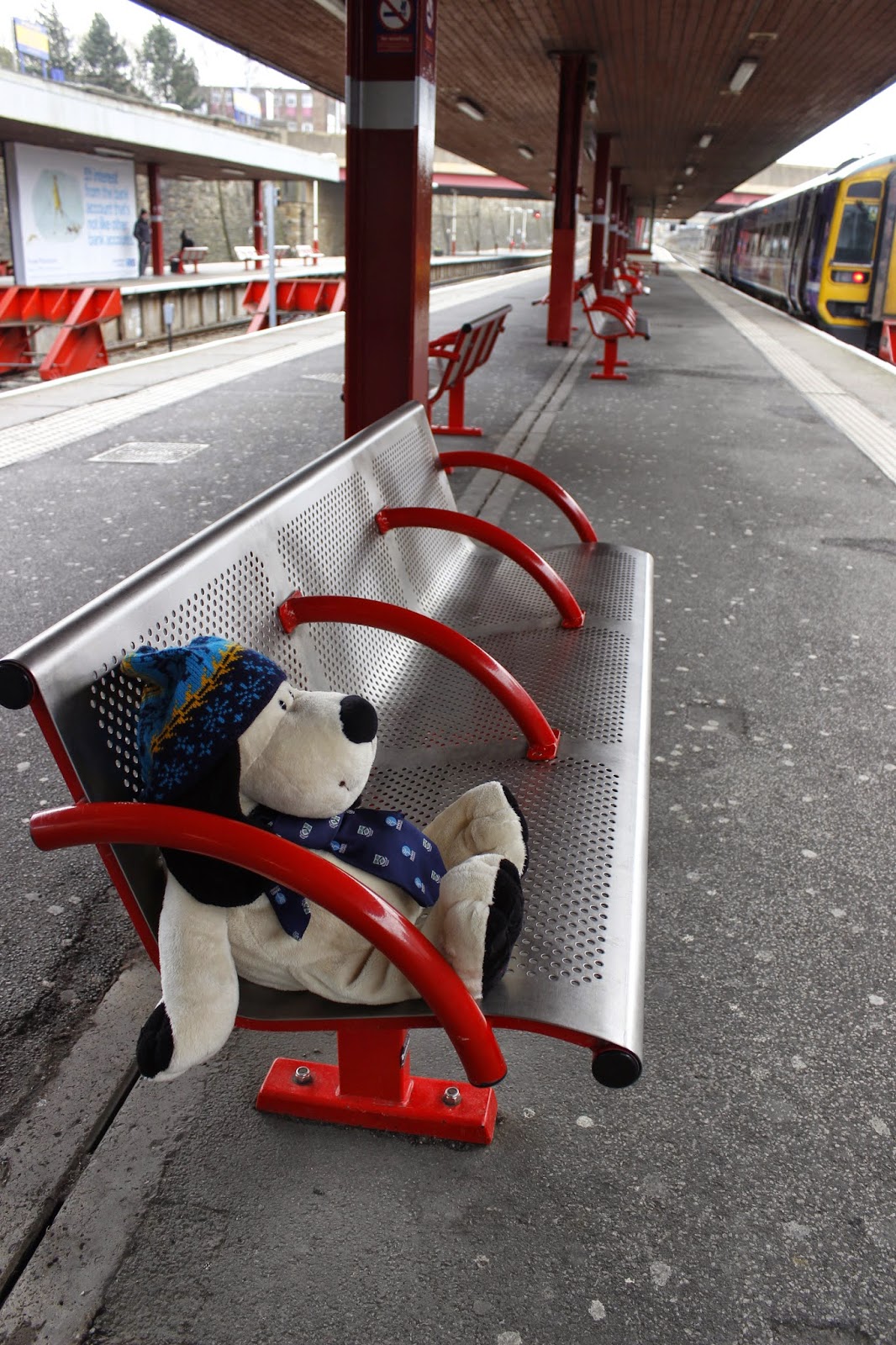
idea for the final outcome of my project. On one of the tasks I took Button
with me on the trip to Leeds taking every opportunity to photograph him as I went
along the journey. At the beginning my idea was that buttons himself would take
the trip to Leeds doing human tasks such as take the bus and catch the train by
himself. In the images that I took I try my best to take images lacking the
human presence so that buttons himself was the focal point of the image. Using techniques
like leading lines to help the viewer's line of sight to be pulled towards ‘Button’.
Even though I took some very good images my teacher enlightening me to the fact
that even though it is a good concept to humanise ‘Buttons’ is not a realistic
scenario that represents the object itself. As you can imagine seeing a bear
parade around town by itself would be a rather unusual phenomenon. So, I
decided to take inspiration from my favourite Disney film ‘Toy Story’, as it
held fond memories of me trying to catch my toys in the act of moving around
when I was younger. As, I wish to keep the human accepted in ‘Button’ movements
throughout his day. I decided instead of lacking in human presence I would add
it instead, to create a more realistic representation of his life. So, I
decided to create images based on the idea that ‘Button’s’ when lacking human
presence would move of his own accord. I imagined him sneaking around doorways
to make sure the coast is clear. To performed very human tasks such as brushing
his teeth, as I found it quite comical. To create the illusion of movement I would
need to use ‘stop motion’ photography, by taking multiple images of him moving
a fraction at a time to try and create a nature flow in movement. I decided to practice
my stop motion photography in the form of a flip book. It was fun and very time
consuming but gave me an idea of how my overall idea might play out. The only
problem was that the flip book itself was rather fat making it hard to flip correctly.
My overall idea was
that ‘Buttons’ and his owner would go on an adventure outside house, only for
him to be forgotten and left in the playground with nobody president. He would then act of his own accord and
imitates a childlike nature by participating in activities on the playground he
has seen other children doing. Some parts of doing this was incredibly hard to
capture because he kept falling down or not slaying in the pose I left him in
due to the wind. To combat this problem I use white string to tie him in place. I then would take photograph of his
owner approaching whilst he performed one of his activities, only for him to go
lifeless again has he is taken home. I feel like I was successful in capturing
the relationship between to two in my work.
I then decided to do
a washing machine scene as he has been out and became rather dirty throughout
photographing. Unfortunately I didn't take photos of him rolling around in the
washing machine at the time because I did not feel the need to add it to my
film reel. Looking back I wish I had.
To try and make buttons
appear to be capable of feeling. In the last few scenes I wanted to give the
impression that he is infatuated with another dog teddy that I own and finished
off with them together. One of my greatest inspirations in deciding to choose a
bear in this project was through the Thompson holiday advert. The perspectives
used in the making of the advertised events gave me ideas and inspirations about
how best to represent buttons at the time. I was planning on using children in
my work, but unfortunately I couldn't get my younger nephew to help follow
along with what I was trying to do. My nephew did not understand and decided to
simply beat the stuffing out of my poor bear in his idea of playing. It would
have made for an amusing outlook on buttons daily life, but it was not what I wanted
do. I learnt the hard way that no one is the boss of a five year old with a
teddy(lol).
If I could retake
this project the things I would properly change is maybe my choice of object,
as now I have a million great ideas swimming around my head (stupid brain). I
felt my mind was crowded constantly with worrying about time. I have learnt
throughout this project that my time management is appalling and I should
better plan in using my time more efficiently, so that if need be I can re-shoot scenes (but me being me it’s easier said than done). Overall, I have enjoyed
this project and am looking forwarded to next one providing that I can make it in to
lessons more now I am feeling better , as I find that one of the major factors
in my poor time management through my lack of attendance. That is something I hope
to greatly improve on.